Malware: definition, how it works and protection methods
Discover our all-in-one solution

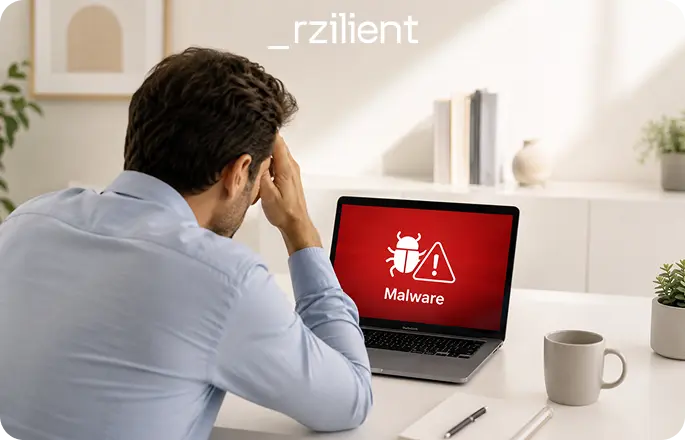
Malware is not simply a “computer virus”. It is a broader, more discreet and often more costly threat. Behind this term, we find all malicious software designed to disrupt a system, steal data, block a device, spy on users or take control of a network.
For a company, the issue goes far beyond the technical aspect. Malware can slow down activity, expose sensitive data, compromise access, block workstations or open the door to others common cyberattacks. The problem is therefore not only to “clean an infected computer”. It is to understand how the malicious software entered, why it was not detected earlier, and how to prevent it from spreading across the entire IT fleet.
The NIST, National Institute of Standards and Technology, defines malware as software, firmware or code intended to execute an unauthorized process that has an adverse impact on the confidentiality, integrity or availability of a system. This definition notably includes viruses, worms, Trojans, spyware and certain forms of adware.
What is a "malware" ?
The word malware comes from “malicious software”. It refers to any software designed to harm an IT system, a device, a network or its users.
Malware can take several forms: an infected file, a downloaded program, an attachment, a script, a browser extension, a mobile application, adware, a Trojan or even ransomware. Its objective depends on the type of malware used: stealing data, spying on a user’s activity, blocking access to a computer, encrypting files, displaying fake alerts, hijacking a device’s computing power or allowing an attacker to remain hidden inside a system.
The most common confusion is using the word “virus” to refer to all malware. In reality, a virus is only one type of malicious software. All computer viruses are malware, but not all malware is a virus. Spyware, ransomware or a rootkit can be highly dangerous without operating like a traditional virus.
In a company, malware often exploits a simple weakness: outdated software, a weak password, an unsupervised device, an attachment opened too quickly, an old user account that was never deactivated, or a workstation that does not apply security rules. This is why the fight against malicious software does not rely solely on antivirus software. It relies on a combination of prevention, detection, IT fleet management and rapid response.
The different types of malicious software
There are many types of malware. Some are immediately visible. Others remain hidden for weeks. Some seek to destroy. Others prefer to observe, collect and wait for the right moment.
Understanding the different types of malicious software helps better identify risks, but also choose the right cybersecurity tools, the right reflexes and the right levels of control.
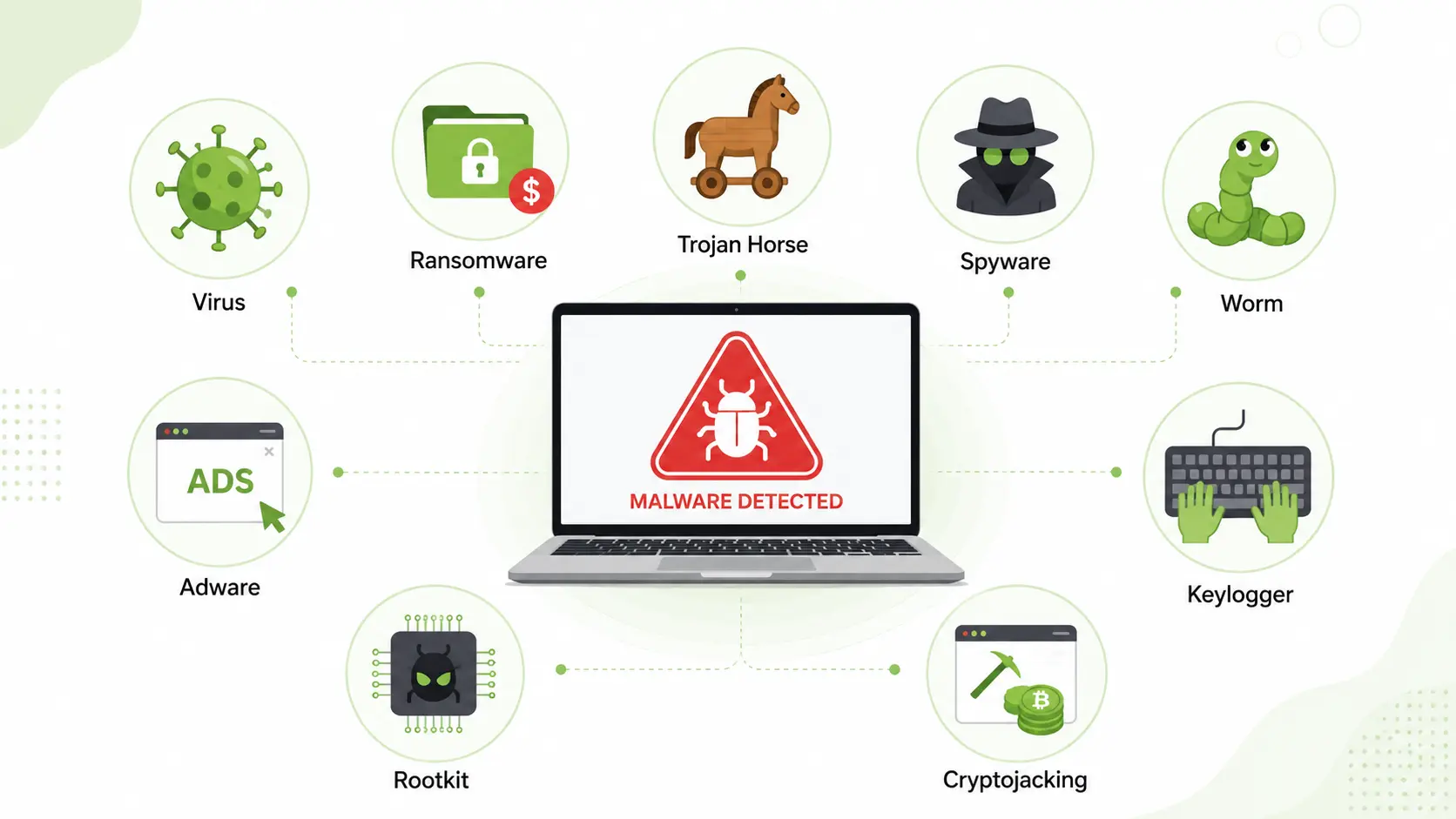
Spyware
Spyware is malicious software designed to monitor a user’s activity without their consent. It can collect browsing history, login credentials, passwords, screenshots, banking information, viewed documents or data entered into forms.
Spyware can be installed after downloading suspicious software, through a browser extension, a malicious website or an infected attachment. It can also be dropped by another piece of malware already present on the device.
The main risk is data theft. For a company, this can mean the compromise of an email account, SaaS access, a cloud workspace or a financial tool. In some cases, the attacker does not seek to act immediately. They observe usage patterns, map access rights, then prepare a more targeted attack.
Ransomware
Ransomware is one of the most well-known types of malware. It blocks access to a device or encrypts the files of a system, then demands the payment of a ransom to restore access to the data. Cybermalveillance.gouv.fr reminds us that ransomware can arrive through a fraudulent attachment, a malicious link received by email, a compromised website or an IT intrusion.
Ransomware is particularly critical for companies because it directly affects business continuity. Files become inaccessible, teams can no longer work, business tools may be blocked, and backups can be targeted. Some attacks combine encryption and exfiltration: the data is copied before being blocked, then used as leverage.
The right reflex is not only to have antivirus software. You also need isolated backups, strict access management, device monitoring, a reliable inventory and tested emergency procedures
Rootkit
A rootkit is malicious software designed to remain hidden in a system while giving the attacker elevated privileges. It can make it possible to modify files, hide activities, disable certain detection tools or maintain persistent access to an infected device.
The danger of a rootkit lies in its discretion. While adware or scareware can be noticed quickly, a rootkit specifically tries not to be detected. It can remain active even after certain cleaning operations if the system is not properly restored.
In a company, this type of malicious software is particularly concerning on administrator workstations, servers, critical machines and devices with access to sensitive data.
Virus
A computer virus is a malicious program capable of copying itself and infecting other files or programs. The NIST describes a virus as a program that can replicate itself and infect a computer, sometimes by corrupting or deleting data, or by using emails to spread.
A virus generally requires human action to trigger: opening a file, running a program, activating a macro or installing infected software. Once active, it can modify files, slow down the computer, disrupt the operating system or spread to other users.
Even though the word “virus” is often used as a synonym for malware, the distinction must be maintained. A virus is a specific category of malicious software, with a specific propagation logic.
Computer worms
A computer worm is malware capable of spreading automatically from one device to another, often through a corporate network. Unlike a virus, it does not always need to be attached to an existing file, nor does it necessarily require user action after its initial launch.
Worms are dangerous because they can spread very quickly. They often exploit a vulnerability, a misconfiguration or unpatched IT systems. In a poorly segmented environment, a single infected device can become the starting point for massive propagation.
The risk is even greater when workstations, servers, printers, network equipment or connected devices are not properly inventoried. What you cannot see is difficult to protect.
Trojan
A Trojan is malicious software that presents itself as a legitimate program. It can look like a useful tool, a known application, an update, a business document or an expected file.
Its objective is to deceive the user. Once installed, the Trojan can open a backdoor, install other malicious software, steal data, give the attacker remote access or prepare a broader attack. Fortinet reminds us that Trojans may appear harmless, but can create backdoors allowing other advanced malicious software to gain remote access.
In a company, a Trojan can enter through email, collaborative messaging, downloads, a fake business tool or an attachment. The risk increases when users have overly broad administrator rights on their workstation.
Keyloggers
Keyloggers are malicious software that capture what a user types on their keyboard. They can record login credentials, passwords, codes, messages, banking information or confidential data.
A keylogger is often used to compromise access. Once the credentials have been collected, the attacker can connect to SaaS tools, an email inbox, a cloud workspace or an administrator account. In some cases, the user notices nothing: their device works normally, but their information is collected in the background.
Protection relies on detection, but also on deeper measures: multi-factor authentication, password managers, rights limitation, monitoring of unusual connections and rapid access revocation during offboarding.
Cryptojacking
Cryptojacking consists of using the computing power of a device or system to mine cryptocurrency without the user’s knowledge. The goal is not necessarily to steal files, but to exploit the victim’s IT resources.
The signs can be discreet: a slow computer, fans running heavily, a battery draining quickly, increased CPU consumption or degraded performance. Across an entire IT fleet, cryptojacking can generate indirect costs: reduced productivity, accelerated device wear, increased energy consumption and application slowdowns.
This type of attack clearly shows that malware does not always seek to destroy. Sometimes, it simply seeks to use your resources.
Scareware
Scareware is based on fear. It displays fake security alerts to push the user to download a fake antivirus, pay for a fake license or contact a fake technical support service.
A classic example: a window says the computer is infected by several viruses and that the user must click immediately to remove malicious software. In reality, the alert itself is a manipulation. By clicking, the user may install a malicious file, provide banking information or give an attacker remote access.
Scareware is effective because it plays on urgency. In a company, user awareness therefore remains essential: no one should install a security tool or call a support number from an unverified pop-up window.
Adware
Adware displays intrusive ads, sometimes modifies the browser homepage, adds toolbars or redirects the user to malicious websites.
Not all adware is necessarily destructive, but some can collect data, degrade performance, expose the user to other malicious software attacks or serve as an entry point for more serious threats. The NIST also includes certain forms of adware among examples of malicious code.
In a company, adware is not just a user inconvenience. It can reveal a lack of control over software installations, browser extensions, user rights and workstation compliance.
What can be the consequences of a malware attack?
The consequences of a malware attack vary depending on the type of malicious software, the level of privilege obtained, the speed of detection and the company’s ability to isolate the infected device.
The first consequence is operational. A workstation can become unusable, a server can be slowed down, a business tool can be blocked, or a network can become saturated. In the case of ransomware, activity can come to a sudden stop.
The second consequence is financial. There is the cost of the incident, but also invisible costs: time lost by teams, emergency intervention, system restoration, loss of productivity, business interruption, hardware replacement, post-incident audit, legal support or crisis communication.
The third consequence concerns data. Malware can enable data theft, exfiltration of client files, or the compromise of HR, financial, commercial or strategic information. A data breach can also create regulatory obligations, particularly in terms of GDPR compliance.
The fourth consequence is loss of trust. Clients, partners, investors or employees may question the company’s ability to protect its IT systems. For growing organizations, cybersecurity becomes a matter of business credibility, not just a technical issue.
The ANSSI stated that in 2024 it handled 4,386 security events, a 15% increase compared with the previous year, and that the cybercriminal threat linked in particular to ransomware and data leaks represented a daily risk for French organizations.
How can you recognize a malware infection?
Malware is not always visible. Some malicious software is designed to remain discreet. Others, on the contrary, trigger obvious signals. In both cases, you need to know how to recognize the symptoms.
An infected device may become slow, heat up abnormally or restart for no reason. Pop-up windows may appear. Unknown software may be installed. The browser may redirect to unusual websites. Files may disappear, change extension or become impossible to open. Error messages may multiply.
Other signals should also raise alerts: unusual network activity, disabled antivirus, disk space filling up without explanation, accounts connected from unknown locations, emails sent without user action, suspicious login requests or a sudden increase in CPU consumption.
For a company, the real issue is detection across the entire fleet. An employee may not report a slowdown. A device may remain unsupervised. A remote workstation may be infected without the IT team seeing it immediately. This is why monitoring, inventory, managed antivirus software and real-time management are essential.
Malware detected early remains a manageable incident. Malware detected too late can become a crisis.
How can you protect against malware?
Protecting against malware does not mean stacking tools. It requires a structured approach: reducing entry points, detecting quickly, limiting propagation, restoring cleanly and maintaining continuous visibility over devices.
Cybersecurity best practices
The first rule is simple: keep systems up to date. Many malicious software attacks exploit known vulnerabilities for which patches already exist. An outdated operating system, an obsolete browser, an exposed VPN or a forgotten business application can become an entry point.
The second rule: limit rights. Not all users need to be administrators of their workstation. The fewer rights are granted, the less deeply malware can act within the system.
The third rule: secure access. Multi-factor authentication, strong passwords, rapid account revocation when employees leave and the zero-trust model significantly reduce the risk of compromise. The zero-trust model is based on a simple idea: never trust by default, always verify.
The fourth rule: raise user awareness. Many infections begin with an email, email attachments, a phishing link, a fake document or a fake alert. Cybersecurity does not depend only on the IT team. It also depends on employees’ ability to recognize weak signals.
The fifth rule: back up intelligently. Backups must be regular, isolated, tested and restorable. CISA recommends maintaining encrypted offline backups of critical data and regularly testing their availability and integrity in recovery scenarios.
Finally, you need to manage. An IT fleet tracked in Excel, with uninventoried devices and unmanaged software, creates blind spots. Protection against malware requires rigorous IT fleet management: inventory, updates, compliance, supervision, access management, IT onboarding and offboarding.
Protection tools and solutions
Protection tools must cover several layers. Antivirus software remains useful, but it is no longer always enough. Modern antivirus software must be complemented by behavioral detection, centralized alerts, patch management, application control, email protection, network monitoring and incident response procedures.
The most useful cybersecurity tools are those that provide visibility. Which devices are up to date? Which workstations no longer have active antivirus protection? Which software is installed? Which users have administrator rights? Which devices have not communicated for several days? Which accounts remain active after an employee leaves?
This is where cybersecurity meets IT management. An all-in-one platform connected to the fleet, users and HR tools makes it possible to reduce blind spots. With HRIS connectors, automations and real-time management, the company limits the oversights that often create incidents: access not revoked, devices not recovered, unpatched systems, non-compliant software.
For growing organizations, the challenge is not only to buy a tool. It is to build simple governance: who supervises, who receives alerts, who acts, who validates exceptions, who restores, who documents. Security then becomes a decision-making and orchestration tool for companies, not an additional constraint in day-to-day work.
In the event of an attack, how do you remove malware?
When malware is detected, the priority is to prevent propagation. You should not improvise. A wrong reflex can erase evidence, restart the infection or contaminate other devices.
The removal of malicious software must follow a clear procedure: isolate, analyze, clean, restore, check, then document. In the case of ransomware, Cybermalveillance.gouv.fr notably recommends cutting Internet connections from the attacked network, identifying and disconnecting affected machines, alerting the IT department or provider, and not paying the ransom.
Removal steps
The first step is to isolate the infected device. It must be disconnected from the network, Wi-Fi, VPN and shared drives. The objective is to prevent the malware from communicating or spreading.
The second step is to preserve the elements useful for analysis. You should not delete all suspicious files too quickly without understanding what happened. Logs, alerts, received messages, downloaded files and activity times can help identify the entry point.
The third step is to run an analysis with a reliable tool: antivirus, anti-malware, EDR or an appropriate detection solution. The detected malicious files must be quarantined or deleted according to the recommendations of the tool and the IT team.
The fourth step is to change passwords, especially if spyware, a Trojan, a keylogger or credential theft is suspected. Active sessions must be revoked, sensitive accounts checked and administrator access controlled.
The fifth step is to check the entire corporate network. Cleaning a single device is not enough if the malware has spread elsewhere. Other workstations, servers, accounts, file shares, backups and connection logs must be checked.
The need to restore a clean system
In some cases, removing the malware is not enough. If the infection is deep, if a rootkit is suspected, if system files are compromised or if the integrity of the device cannot be guaranteed, a clean system must be restored.
Restoring cleanly means starting from a healthy image, reinstalling the operating system, applying patches, reinstalling the necessary software, restoring only validated data and checking that the device complies with security policies.
The restoration must not reintroduce the problem. A backup may contain infected files. A compromised account may give the attacker access again. Unpatched software may reopen the same vulnerability. This is why recovery must include a control phase: backup analysis, access validation, system updates, antivirus checks and reinforced monitoring.
After the incident, documentation is essential. What was the entry point? Which device was affected? Which data was exposed? How long did the attack remain active? Which measures need to be strengthened? This post-incident review turns the incident into a concrete improvement in IT management.
Examples of known malware attacks
Several malware attacks show how far malware can go beyond the scope of a simple infected computer.
WannaCry, which appeared in 2017, is an example of fast-spreading ransomware. It affected many organizations around the world by exploiting unpatched Windows systems. This case reminds us of a simple rule: security updates are not a formality. They can prevent a crisis.
NotPetya, which also appeared in 2017, was initially presented as ransomware, but its impact was largely destructive. It paralyzed major organizations by making systems unusable. This example shows that malware can disguise itself as a financially motivated attack while having effects close to sabotage.
Emotet is another well-known example. Initially identified as a banking Trojan, it evolved into an infrastructure used to distribute other malicious software. It illustrates the logic of modern attacks well: malware can be a first step, then serve to install other malicious software threats.
Stuxnet is often cited as an example of malware targeting industrial systems. It demonstrated that malicious code could have effects on physical equipment, not only on files or computers.
These examples have one thing in common: they rarely exploit a single flaw. They take advantage of a set of weaknesses: unpatched systems, lack of segmentation, overly broad rights, lack of supervision, vulnerable backups and incomplete security processes.
This is precisely where companies need to focus their attention. Protection against malware does not rely on a magic tool. It relies on visible, governed, documented and managed IT. A controlled fleet, managed access, supervised devices, tested backups and aware users significantly reduce risk.
Malware is a technical risk. But preventing it is a leadership issue: business continuity, avoided costs, compliance, customer trust and the ability to scale without friction



.webp)